![25_PMX Logo.jpg]](https://help.portfoliometrix.com/hs-fs/hubfs/25_PMX%20Logo.jpg?height=40&name=25_PMX%20Logo.jpg)
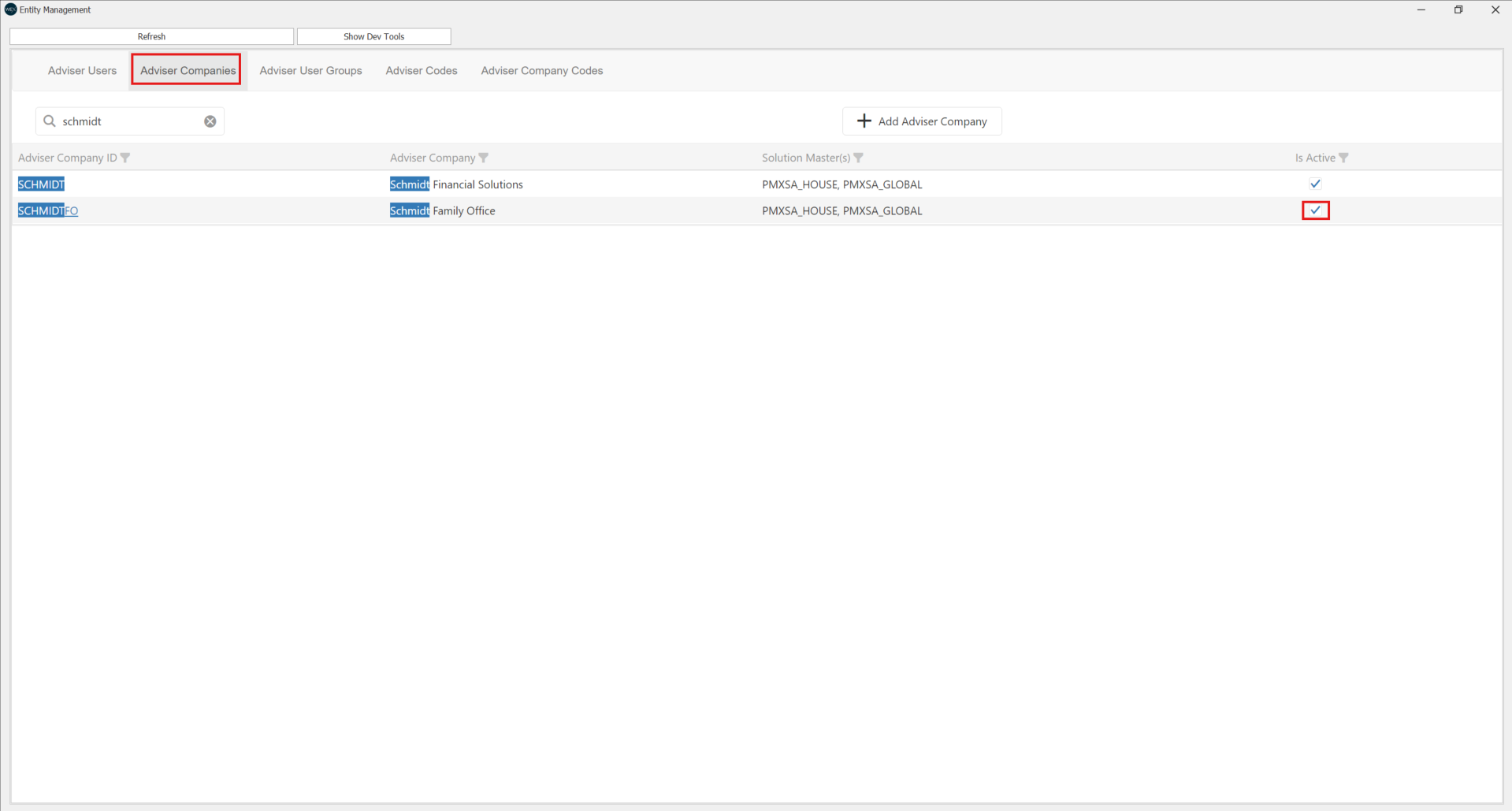
1. Navigate to PAM Admin > Select adviser company you'd like to archive > Untick the "Is Active" box. This is ensure once the company is archived, it is not included in any Data extracts for WEx/Edge insight reports.
2. Proceed to navigate to Adviser Company General Settings and load all companies: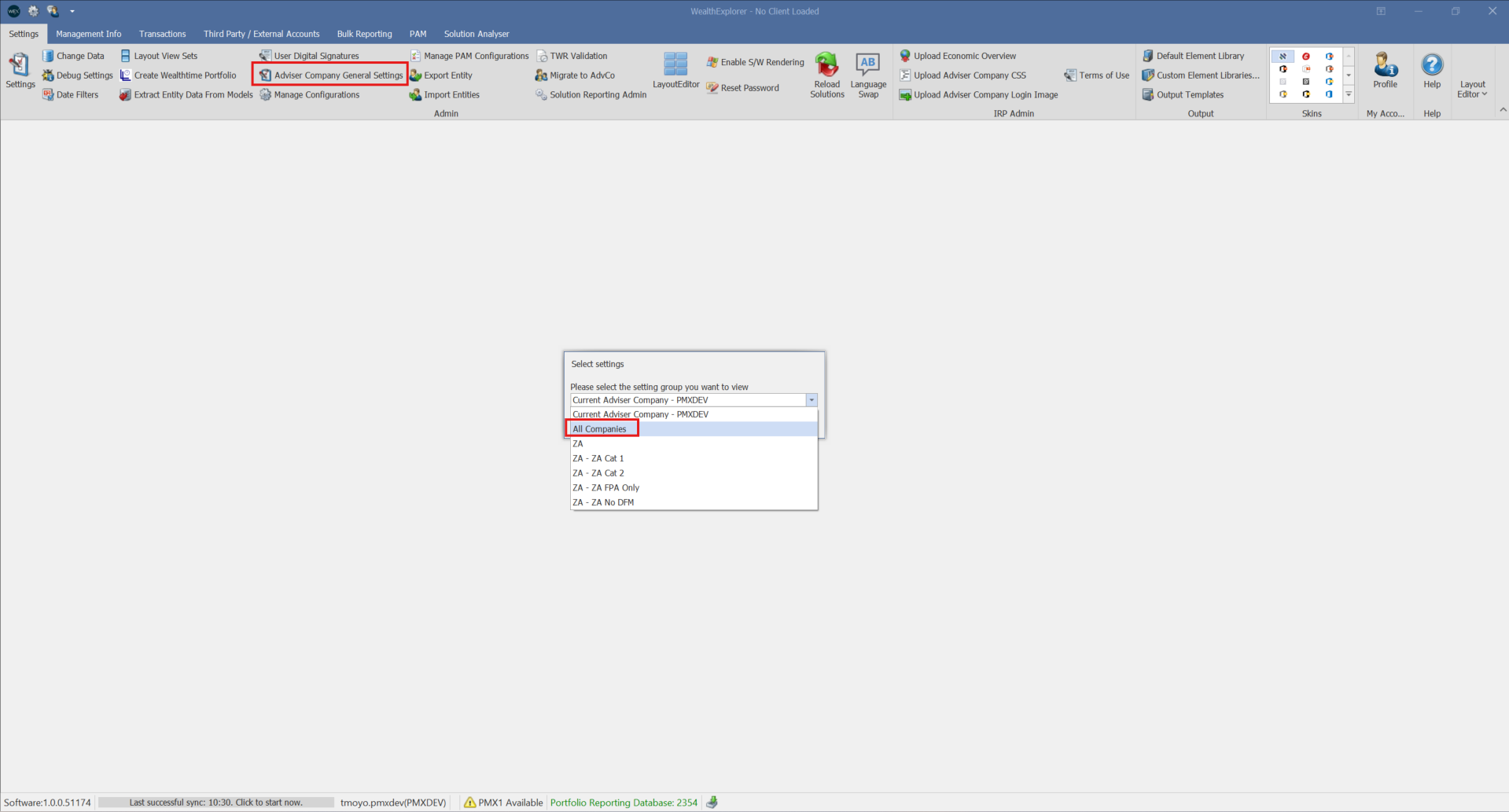
3. Filter for the adviser company you would like to archive and type "Status" in the search bar: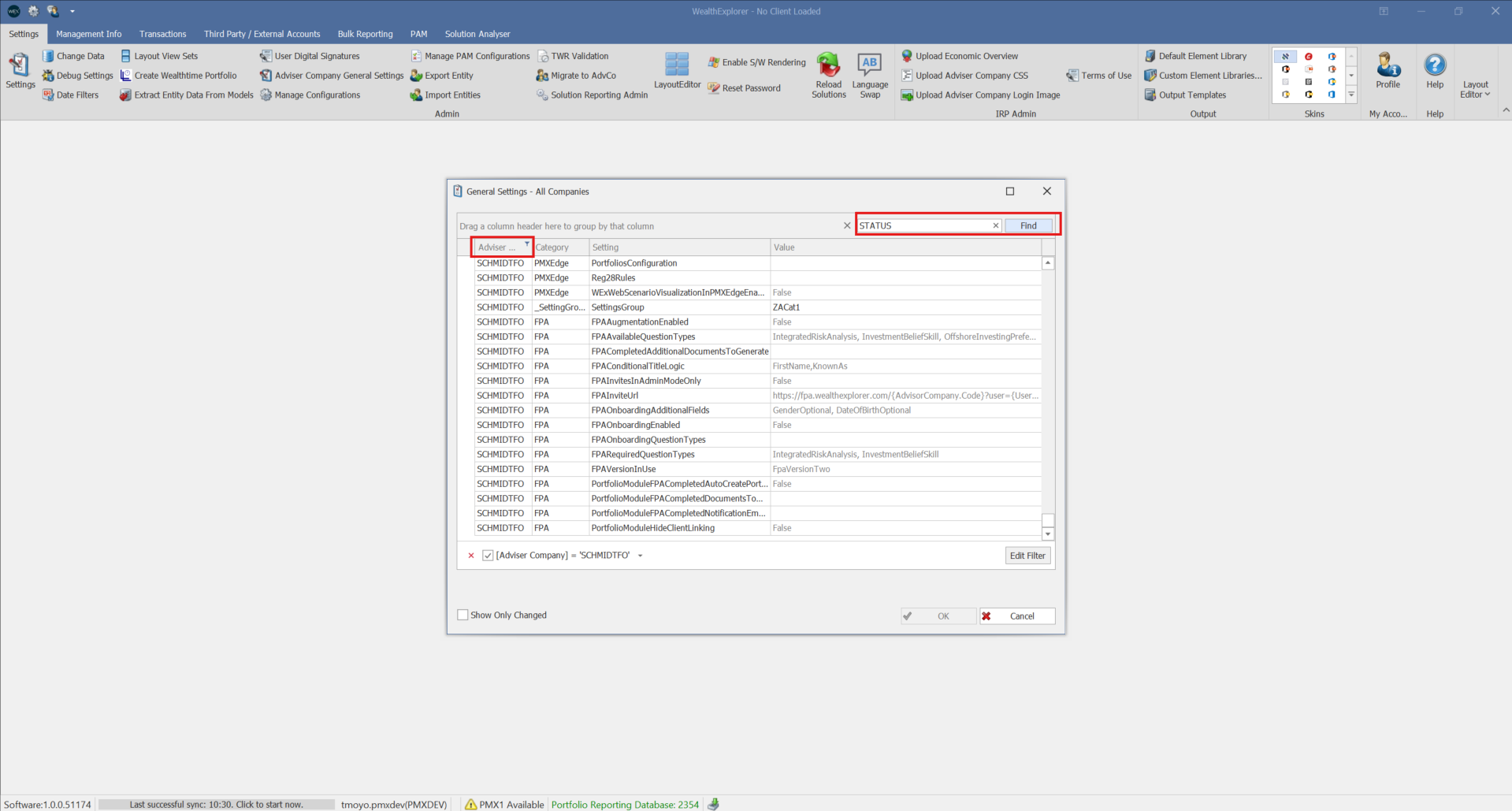
4. Change the status value to "Inactive" and click OK: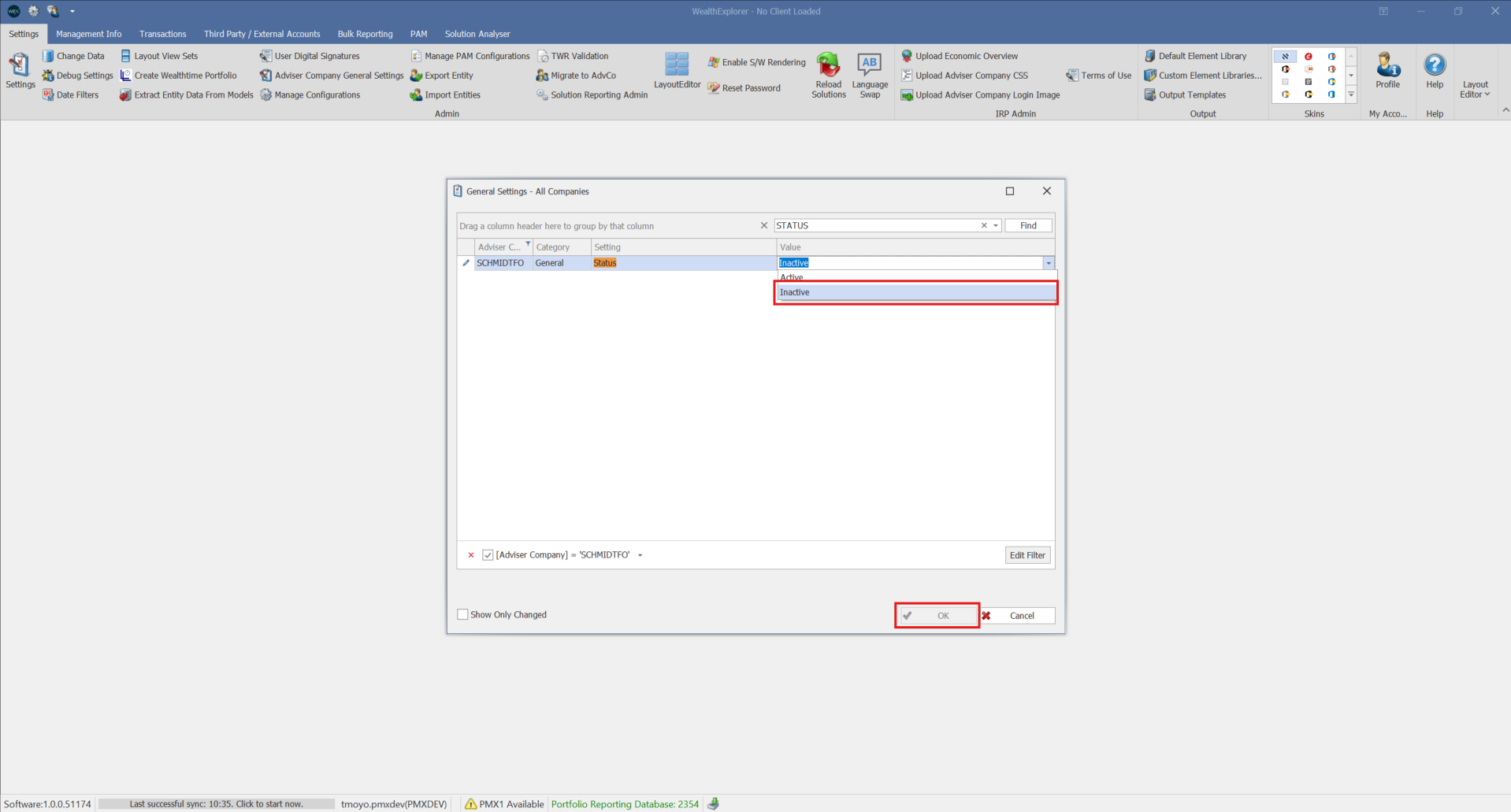
5. The User Interface may take some time process that the companies have been archived.